
In today’s fast-paced digital landscape, ensuring the reliability and availability of your applications is more critical than ever. With Azure Cosmos DB for MongoDB vCore, addressing these needs becomes simpler thanks to cross-region replication. This feature enhances data availability, improves read operation scalability, and streamlines disaster recovery processes. In this article, we will discuss the benefits of cross-region replication; in addition, the article will guide you through the essential steps to establish cross-region replication using the Azure portal.
In this article
- What is Cross-Region Replication?
- Steps to Set Up Cross-Region Replication in Azure Cosmos DB for MongoDB vCore
- Promoting a Replica Cluster
- Conclusion
What is Cross-Region Replication?
Cross-region replication replicates data from a primary cluster to a replica cluster in another Azure region. This process is asynchronous to minimize performance impacts.
This feature is easy to set up, as this article aims to demonstrate, and you can promote a read replica to primary with just a few clicks. This capability plays a crucial role in disaster recovery, ensuring data availability if the primary region fails.
Key benefits:
Enhanced Data Availability and Resilience
Azure Cosmos DB for MongoDB vCore implements cross-region replication to duplicate data across geographic locations. This duplication enhances data availability and builds resilience against regional outages or disasters. If a disruption occurs in one region, a replica cluster in another region can promptly take over, minimizing downtime and averting data loss.
Read Scalability
Cross-region replication also aids in scaling read operations by allowing data access from the nearest data center to the end user. This geographical distribution minimizes latency and improves read performance, which is essential for read-intensive applications that serve a global user base.
Simplified Disaster Recovery
With cross-region replication, organizations can implement a robust disaster recovery (DR) plan with reduced complexity. The ability to promote a replica to a primary cluster during an outage simplifies the recovery process, ensuring continuity of service without manual data restoration efforts.
Consistency and Data Integrity
Azure Cosmos DB for MongoDB employs asynchronous replication to prevent replication latency from hindering write operations. Although data becomes eventually consistent across regions, this approach balances performance and data integrity, making it essential for applications that require high throughput.
Steps to Set Up Cross-Region Replication in Azure Cosmos DB for MongoDB vCore
Enable Cross-Region Replication
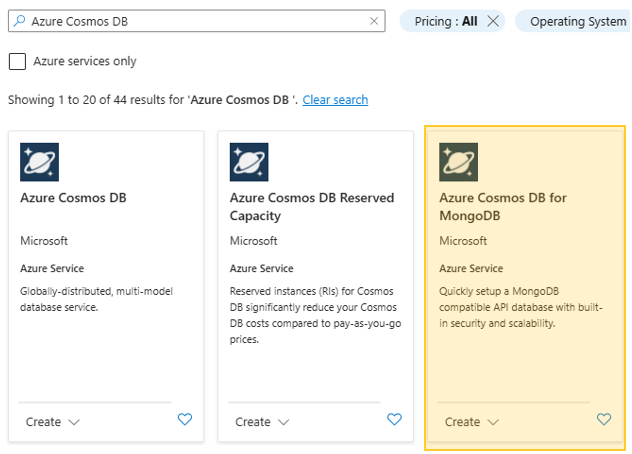
Initiate the creation of a new Azure Cosmos DB for MongoDB vCore cluster via the Azure portal. In order to create a new cluster you will need to search for and select ‘Azure Cosmos DB for MongoDB’ then select a ‘vCore cluster’.

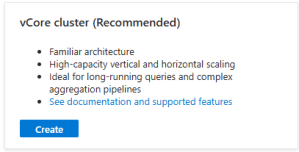
Enables global distribution by checking the ‘Access to global distribution (preview)’ flag under the Basic tab during the configuration of your cluster.
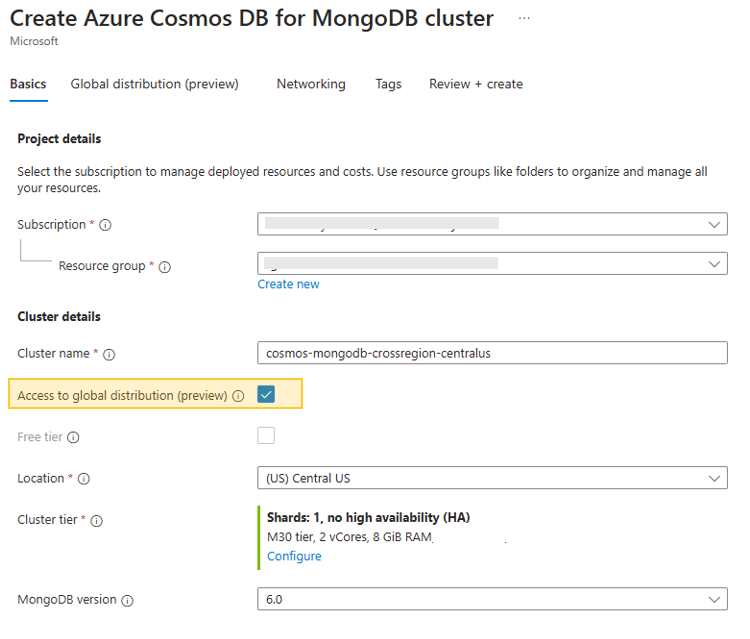
When choosing your cluster tier, please take into account the following limitation:
- Cross-region replication isn’t supported in the Free tier.
- Burstable compute isn’t supported on replica clusters.
- Cross-region replication is supported only on clusters with one shard.
- High availability isn’t supported on replica clusters.
Next configure the read replica by navigating to the ‘Global distribution (preview)’ tab, where you can enable the ‘Read replica in another region (preview)’. After enabling it, proceed to specify the replica cluster name and the corresponding region. I kept my read replica name the same as my cluster with the exception of the region ‘eastus’.
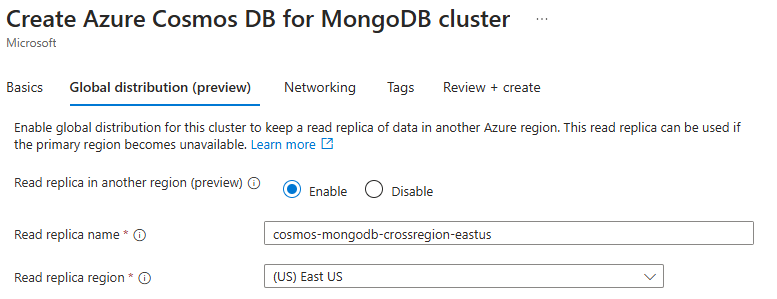
Click on ‘Review and Create’ to initiate the creation of your Azure Cosmos DB for MongoDB vCore cluster.

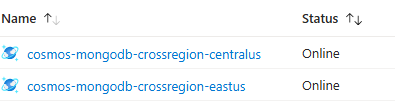
Your clusters may take some time to create, possibly around 10 minutes. After that, both your primary cluster and replica will have been established and will be ready for use.
Testing the Cross-Region Replica
We can test the replica by simulating a write operation to the primary using a simple vector store example as detailed in the article titled “LangChain Vector Search with Cosmos DB for MongoDB“. Use the connection string from your primary cluster for MONGO_CONNECTION_STRING. Follow the steps outlined in the article and execute the provided code to load vectors into your primary cluster and synchronize the data with your replica.
from os import environ
from dotenv import load_dotenv
from pymongo import MongoClient
from jsonloader import JSONLoader
from langchain_openai import OpenAIEmbeddings
from langchain_community.vectorstores.azure_cosmos_db import AzureCosmosDBVectorSearch, CosmosDBSimilarityType


load_dotenv(override=True)

#variable from '.env' file
OPENAI_API_KEY = environ.get("OPENAI_API_KEY")
MONGO_CONNECTION_STRING = environ.get("MONGO_CONNECTION_STRING")

#hardcoded variables
DB_NAME = "research"
COLLECTION_NAME = "resources"
EMBEDDING_FIELD_NAME = "embedding"
INDEX_NAME = "vectorSearchIndex"


client = MongoClient(MONGO_CONNECTION_STRING)
db = client[DB_NAME]
collection = db[COLLECTION_NAME]

loader = JSONLoader('Rocket_Propulsion_Elements.json')

docs = loader.load()


#load documents into Cosmos DB Vector Store
vector_store = AzureCosmosDBVectorSearch.from_documents(
    docs,
    OpenAIEmbeddings(disallowed_special=()),
    collection=collection,
    index_name=INDEX_NAME)

#Create an index for vector search
num_lists = 1 #for a small demo, you can start with numLists set to 1 to perform a brute-force search across all vectors.
dimensions = 1536
similarity_algorithm = CosmosDBSimilarityType.COS
vector_store.create_index(num_lists, dimensions, similarity_algorithm)
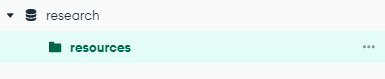
Loading the embeddings and metadata with the Python scripts will swiftly replicate to the replica cluster. You can ensure the successful loading of documents by using MongoDB Compass or a comparable tool.
Primary Cluster – cosmos-mongodb-crossregion-centralus
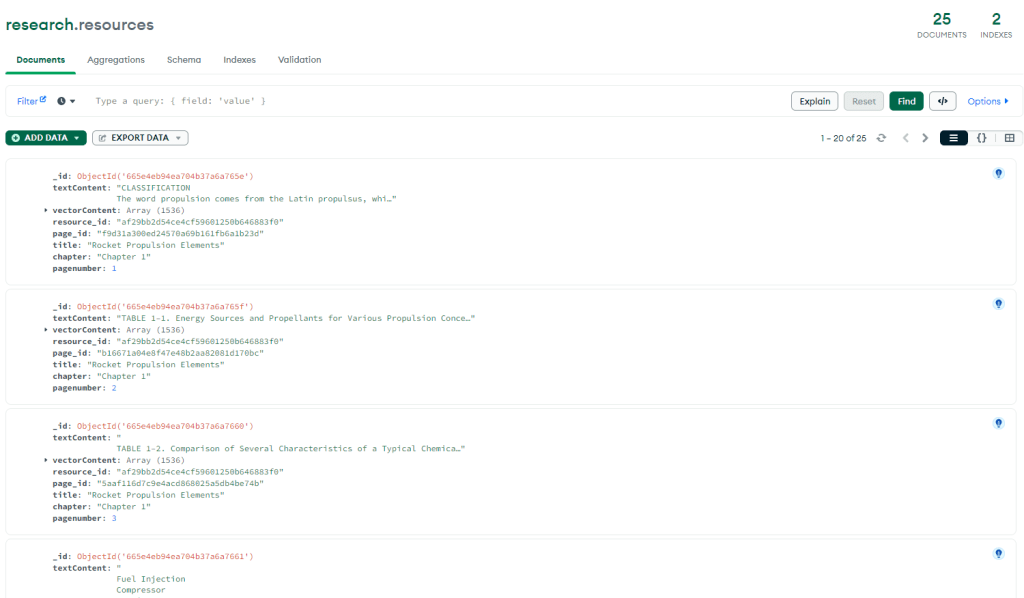
Replica Cluster – cosmos-mongodb-crossregion-eastus
After loading your primary cluster, your system will asynchronously replicate the data to your replicate cluster, ensuring that MongoDB Compass displays identical results (the MongoDB Compass screenshots will be identical).
When creating a replica through cross-region replication, the replica does not automatically inherit networking configurations, such as firewall rules, from the primary cluster. Therefore, it is imperative to independently establish these settings for the replica. It is crucial to thoroughly validate the network and firewall configurations in your replica cluster, especially if you encounter connectivity issues with MongoDB Compass. You may need to include your IP address for access purposes.
Promoting a Replica Cluster
In the event of a regional outage, you can perform a disaster recovery operation by promoting your cluster replica in another region to enable write capabilities. During the replica promotion process, the following steps occur:
- Writes are enabled on the replica in Region B, in addition to reads, transforming the former replica into a new read-write cluster.
- The promoted replica cluster starts accepting writes using its existing connection string.
- The cluster in Region A is set to read-only mode and retains its original connection string.
Promote a Replica
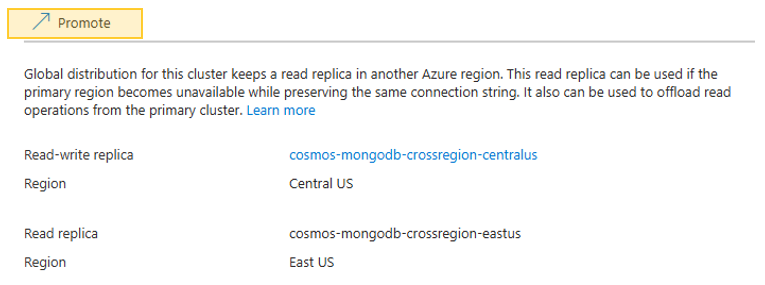
Select your replica cluster (Region B) in the Azure portal under the cluster’s ‘Global distribution’ settings, then click on ‘Promote’ to make the selected replica the new primary read-write cluster, which will change the roles of the primary and replica clusters.
Conclusion
Highly anticipated and significant, the cross-region replication in Azure Cosmos DB for MongoDB vCore addresses critical needs for modern applications. By enabling data replication across different geographic regions, this feature ensures enhanced data availability, improved read operation scalability, and streamlined disaster recovery processes.
Setting up cross-region replication is straightforward, as demonstrated in this article. The process is user-friendly and can be completed with just a few clicks. Promoting a read replica to a primary cluster during an outage is equally simple, ensuring continuity of service with minimal administrative effort.
 Stochastic Coder
Leave a Reply